Love2Flow migrates your Lovable export straight into Webflow
Love2Flow turns your Lovable export into ready-to-use Webflow sections. It reads React and Tailwind and translates classes, colors, grids, and breakpoints deterministically, pixel-perfect, and the same way every time. A matching style guide comes with it.
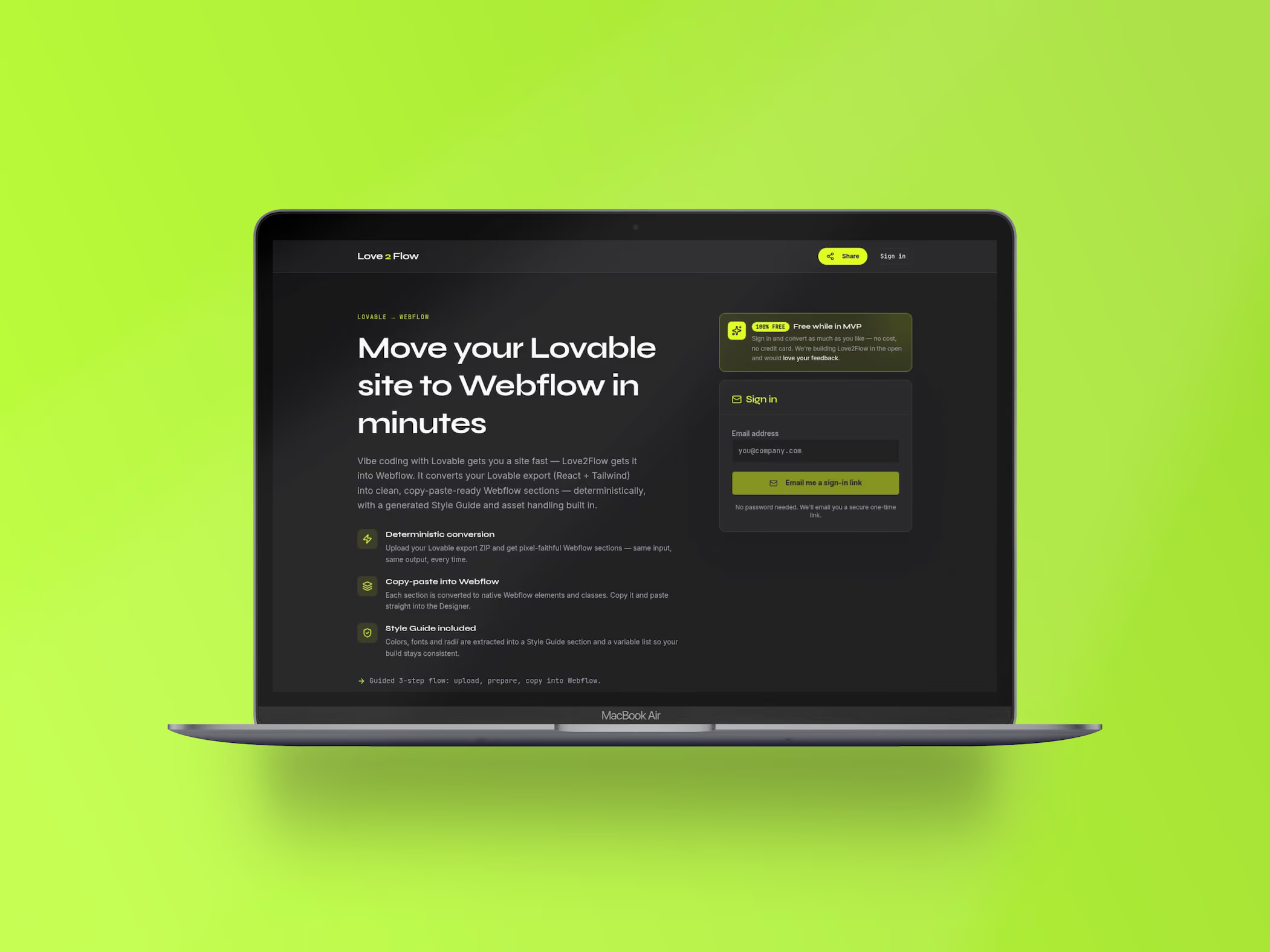
From React and Tailwind to real Webflow classes
Vibe coding is fast for drafting and painful for maintenance. A screen built in Lovable looks good, but nobody who isn’t at home in code can maintain it. That is exactly where Love2Flow comes in.
The tool reads the React and Tailwind export and translates it into the language of Webflow: real classes instead of utility chains, native grids and flexbox instead of rebuilt spacing, clean breakpoints instead of fixed pixel values. The conversion is deterministic: the same input always produces the same output.
In the end, you copy clean sections or entire pages straight into the Webflow Designer; Love2Flow uploads images directly to your Webflow assets along the way. A guided three-step flow takes you from upload to paste. What would otherwise cost hours of manual work is done in a few minutes and can then be edited by anyone on the team.
What Love2Flow can do
Structure, styling, and responsiveness translated, not rebuilt.
Deterministic conversion
No guessing, no shifting results. The same export produces the same sections every time, which keeps teamwork traceable.
Real Webflow classes
Tailwind utility chains become named classes you can reuse and adjust in the Designer. Optionally, an AI naming layer names the classes according to Client-First; this step costs credits.
Native grids and flexbox
Layouts are built with Webflow’s own tools. The result is visibly structured in the Designer, not locked away in an embed.
Responsive behavior
Tailwind breakpoints are mapped to Webflow breakpoints, so tablet and mobile views don’t have to be redone by hand.
Style guide included
Colors, typography, and spacing also land in a generated style guide that serves as the starting point for the rest of the project.
Figma import (experimental)
The export also works for Figma: via HTML to Figma, the Figma plugin, or the Figma MCP. This feature is experimental and doesn’t require credits.
Who Love2Flow is built for
Teams that prototype in Lovable. The draft comes together quickly through vibe coding, but the production site should live in Webflow so marketing and editorial can keep working on their own.
Webflow agencies and freelancers. A client brings a finished Lovable draft. Instead of rebuilding it by hand, it gets translated and then refined in the Designer.
Designers without a coding background. If you don’t want to read React, you still get an editable foundation in the tool you already know.
“A prototype is only worth something once someone can maintain it afterward.”
From the same workshop
Routifyy
Complete 301 redirect lists for relaunches, matched by AI and ready to export.
Flowtifyy
The online store for any website, optimized for Webflow, with TWINT and Swiss hosting.
Your website
should fit you.
A good website is the foundation for your business and your goals. I'll guide you from the first idea to the finished product.
Frequently asked questions about Love2Flow
What you upload, what comes out, and how much rework remains in Webflow.
The RAW export is free during the early-access phase. You only need credits for Client-First AI naming: 3 credits are free, after that there are packs of 10 credits for $9, 50 credits for $29, or 200 credits for $89. Packs are one-time purchases, and credits never expire. Prices are subject to change.
The export of your Lovable project, meaning the React and Tailwind code. From it, Love2Flow reads structure, classes, colors, grids, and breakpoints and translates them into the language of Webflow. A guided three-step flow takes you from upload through reviewing the sections to pasting into Webflow.
Via copy and paste. You copy the generated sections and paste them directly into the Webflow Designer, one at a time or as a whole page. The result is real Webflow classes and native grids, no embed and no inline styles. Love2Flow uploads images directly to your Webflow assets. As an experimental option, the result can also be transferred to Figma via HTML to Figma, the Figma plugin, or the Figma MCP.
No. Love2Flow translates structure and design. State logic, data connections, and interactions from React are not included; those are rebuilt in Webflow, for example with the CMS, Interactions, or custom scripts.
Usually yes, but far less. The basic structure, classes, and responsive behavior are in place, plus a generated style guide with colors, typography, and spacing. Fine-tuning, content, and interactions you do in the Designer.